Chapter 29
Segmenting visibility with classifications
A week later, Gary noticed something else.
The internal notes were hidden.
That part worked.
But something still felt off.
Staff were scrolling through long customer lists.
Calling people who hadn’t bought a record in years.
Treating everyone as if they were equally relevant.
Gary sighed.
“They can’t see internal notes,” he said.
“But they still see everyone.”
Sam nodded.
“That’s because so far, we’ve only drawn boundaries.”
Gary looked up.
“So now we need…?”
“Logic,” Sam said.
“Now we segment.”
From hiding tables to selecting rows
In the first setup, they had restricted an entire classification.
That was intentional.
“It’s the safest place to start,” Sam said.
“But most real rules aren’t that absolute.”
He pointed at the customer list.
“You don’t want Staff to see nothing.”
Gary shook his head.
“No. Just the customers that matter.”
“Exactly.”
Sam continued.
“That’s when classifications stop being switches
and start becoming business logic.”
Defining a meaningful segment
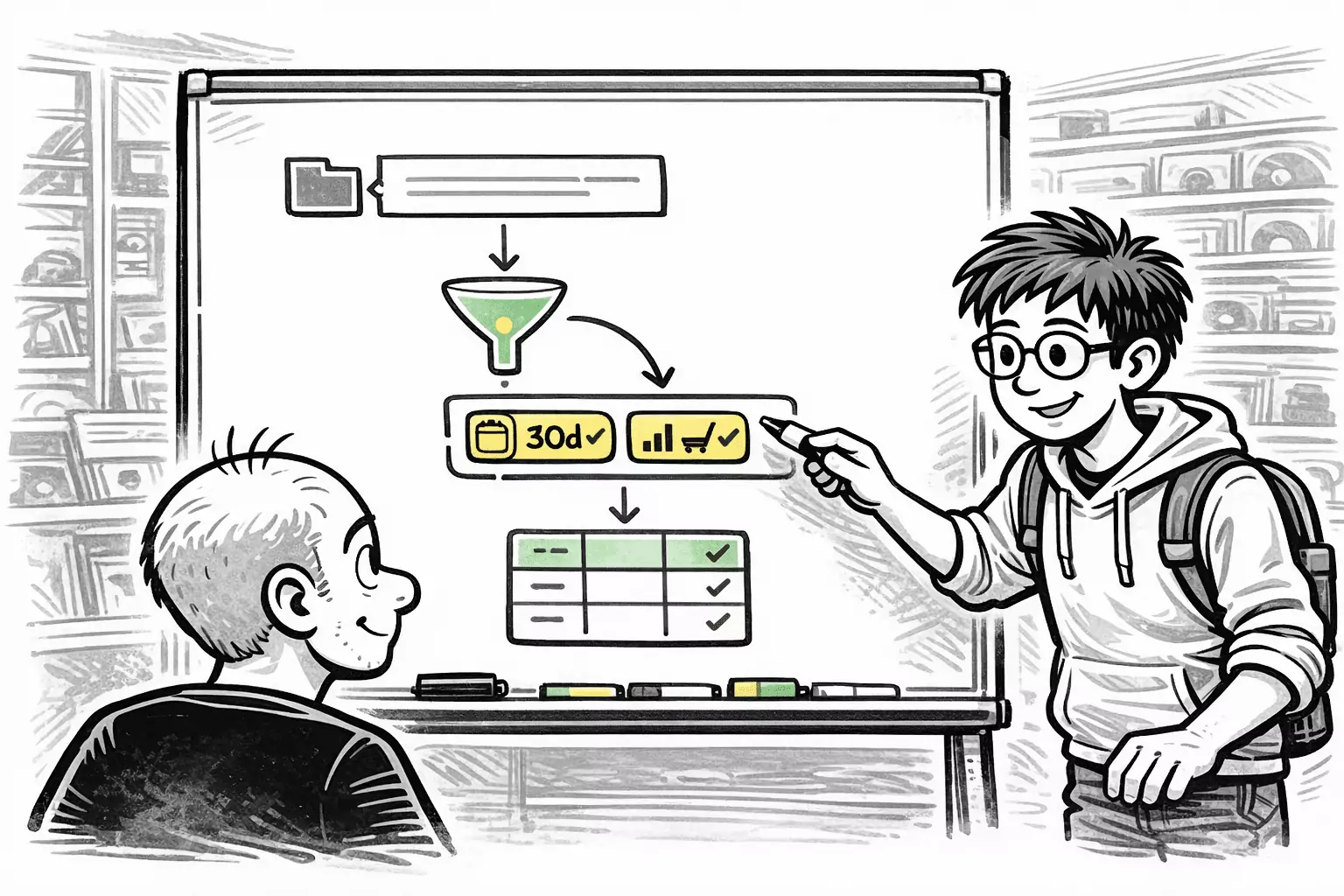
Sam opened the classification editor again.
“This part should look familiar,” he said.
Gary leaned closer.
“That’s the classification I set up earlier… for finding active customers.”
“Yes,” Sam nodded.
“You already defined what active means for your business.
Now we’re reusing that definition for visibility.”
Gary thought back.
The classification wasn’t new.
It already existed so he could:
- Filter customer lists
- Focus campaigns
- Avoid calling inactive customers
It evaluated things like:
- Recent purchase activity
- Time since last order
Sam continued.
“That’s the important part.
We’re not inventing a new rule.”
“We’re reusing business logic you already trust.”
Gary nodded slowly.
“So this classification already tells the system
which customers are considered active.”
“Yes,” Sam said.
“And because classifications are evaluated per row,
we can now use the same one to control who gets to see those rows.”
Gary smiled.
“So the definition lives in one place.”
“And it drives multiple things,” Sam replied.
“Filtering.
Segmentation.
Visibility.”
Gary looked at the screen again.
“So this classification will only be true for some customers.”
“Yes,” Sam said.
“And that’s what makes it useful —
it reflects how the business actually behaves.”
Applying visibility based on state
Gary watched Sam pause before adding the rule.
“Before we do this,” Sam said,
“we need to undo something.”
Gary frowned.
“The block we added before?”
“Yes.”
Sam explained.
“Both read policies follow the same rule:
deny always wins.”
Gary nodded.
“So what’s different between them?”
“The default,” Sam said.
“Not the precedence.”
Why a simple allow rule doesn’t work
Sam continued.
“You’re using an optimistic read policy.
That means rows are readable by default — unless something denies them.”
He sketched it out.
| Classification | Rule | Result for Staff |
|---|---|---|
| Always True | Deny (Staff) | ❌ Blocked |
| Active | Allow (Staff) | ❌ Blocked |
“The always-true deny rule applies to every row,” Sam said.
“So even if another rule explicitly allows access,
the deny still wins.”
Gary sighed.
“So the problem isn’t optimistic policy.”
“No,” Sam said.
“It’s that we’re denying too broadly.”
Thinking in reverse
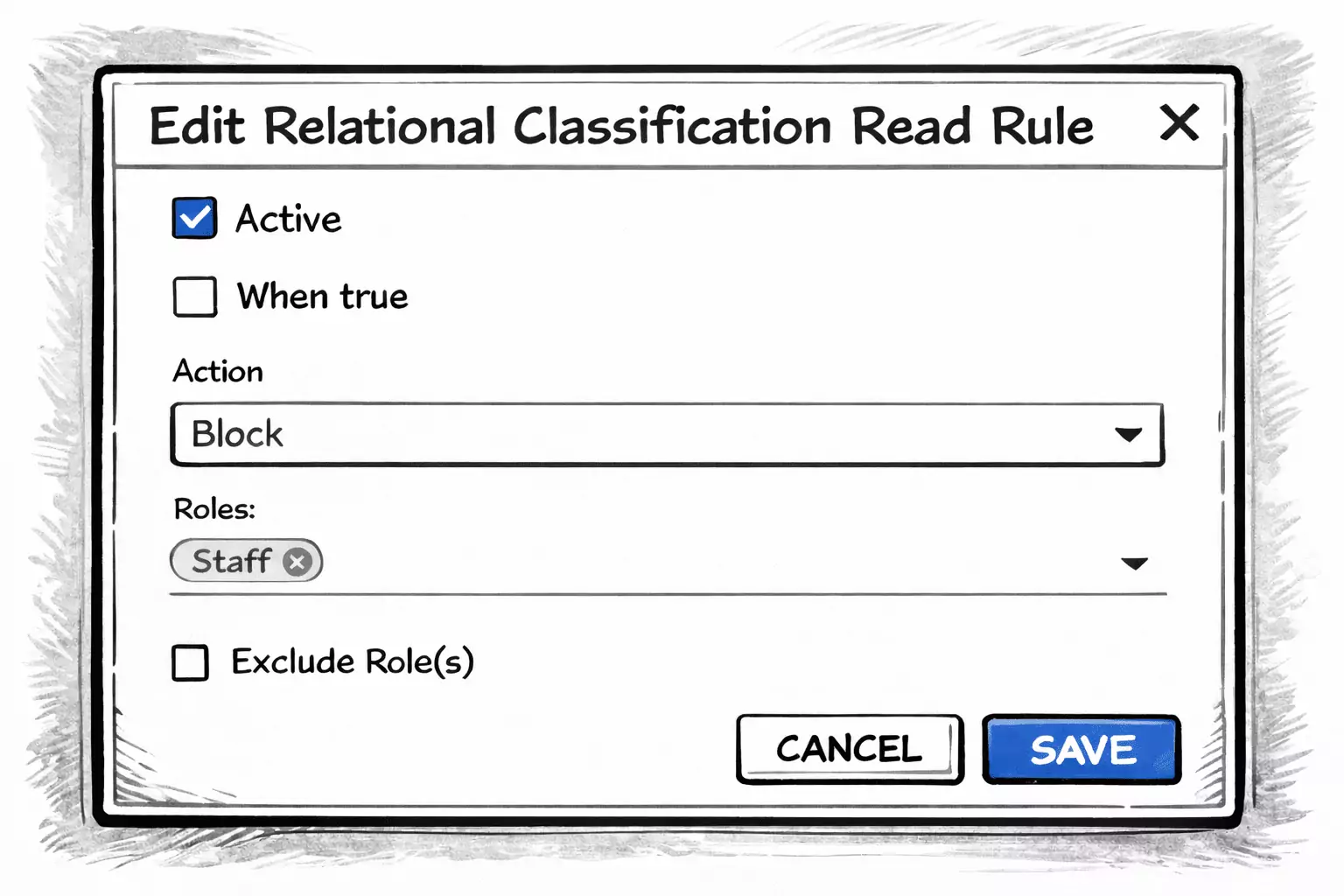
Sam removed the old table-level deny rule.
“Instead of allowing what should be visible,” he said,
“we deny what shouldn’t be.”
He attached a new read rule to the Active Customer classification.
This time, he inverted the condition.
- When true — unchecked
- Action — Deny
- Roles — Staff
Gary leaned forward.
“So the rule applies when the customer is not active.”
“Yes.”
The correct outcome under an optimistic policy
Sam summarized the behavior.
| Customer state | Active Customer | Deny rule applies | Visible to Staff |
|---|---|---|---|
| Active | true | no | ✅ Yes |
| Inactive | false | yes | ❌ No |
Gary nodded slowly.
“So active customers stay visible
because nothing denies them.”
“And inactive customers disappear,” Sam said.
“Because deny always wins —
no matter which policy you use.”
What the policy really changes
Gary thought for a moment.
“So optimistic vs pessimistic doesn’t change rule priority.”
“No,” Sam said.
“It changes what happens when no rules apply.”
He clarified.
- Optimistic — visible unless denied
- Pessimistic — hidden unless allowed
“But once a rule applies,” Sam continued,
“deny always overrides allow.”
Gary smiled.
“That makes the system predictable.”
Sam nodded.
“And predictability is the whole point.”
Visibility that follows the business
They logged in as Staff again.
The list was focused.
Only active customers remained.
No manual filters.
No copied lists.
Gary nodded.
“So when a customer becomes inactive…”
“They disappear automatically,” Sam said.
“And when they buy something again?”
“They come back.”
Gary smiled.
“Visibility that follows reality.”
Sam closed the laptop.
“That’s the point.”
Rules don’t freeze data
Gary thought about it.
“So we’re not copying customers into new lists.”
“No.”
“And we’re not maintaining manual filters.”
“No.”
“The classification evaluates every time.”
Sam nodded.
“Visibility is always derived.
Never duplicated.”
Gary smiled.
“That’s… surprisingly clean.”
The system starts to reason
They logged in as Staff.
The customer list was shorter.
Focused.
Relevant.
Inactive customers were gone.
Gary leaned back.
“So now the system isn’t just storing information.”
Sam smiled.
“It’s interpreting it.”
Continue reading
The visibility rules worked.
Staff now saw the right customers.
The lists made sense.
The structure held.
And that’s when Gary noticed something unexpected.
The problems hadn’t disappeared —
but they had changed shape.
He wasn’t fixing mistakes anymore.
He was deciding earlier.
What used to break at the counter
now surfaced while thinking.
What used to be handled “somehow”
now asked to be defined.
Gary leaned back.
“So this is what we’ve been doing all along,” he said.
“Not solving problems…”
Sam nodded.
“…but deciding when they should stop being surprises.”
Gary looked around the store.
The system hadn’t become stricter.
It had become quieter.