Chapter 26
When rules shouldn’t apply to everyone
Gary stared at the error message again.
An album marked as compilation must have more than one artist.
It made sense.
For staff.
But not always for him.
Because sometimes Gary knew something the system didn’t.
A pre-release.
A placeholder entry.
A compilation where the second artist hadn’t been confirmed yet.
He leaned back.
“So the rule is right,” he said.
“But it shouldn’t stop me.”
Sam nodded.
“That’s where roles come in.”
Users and roles
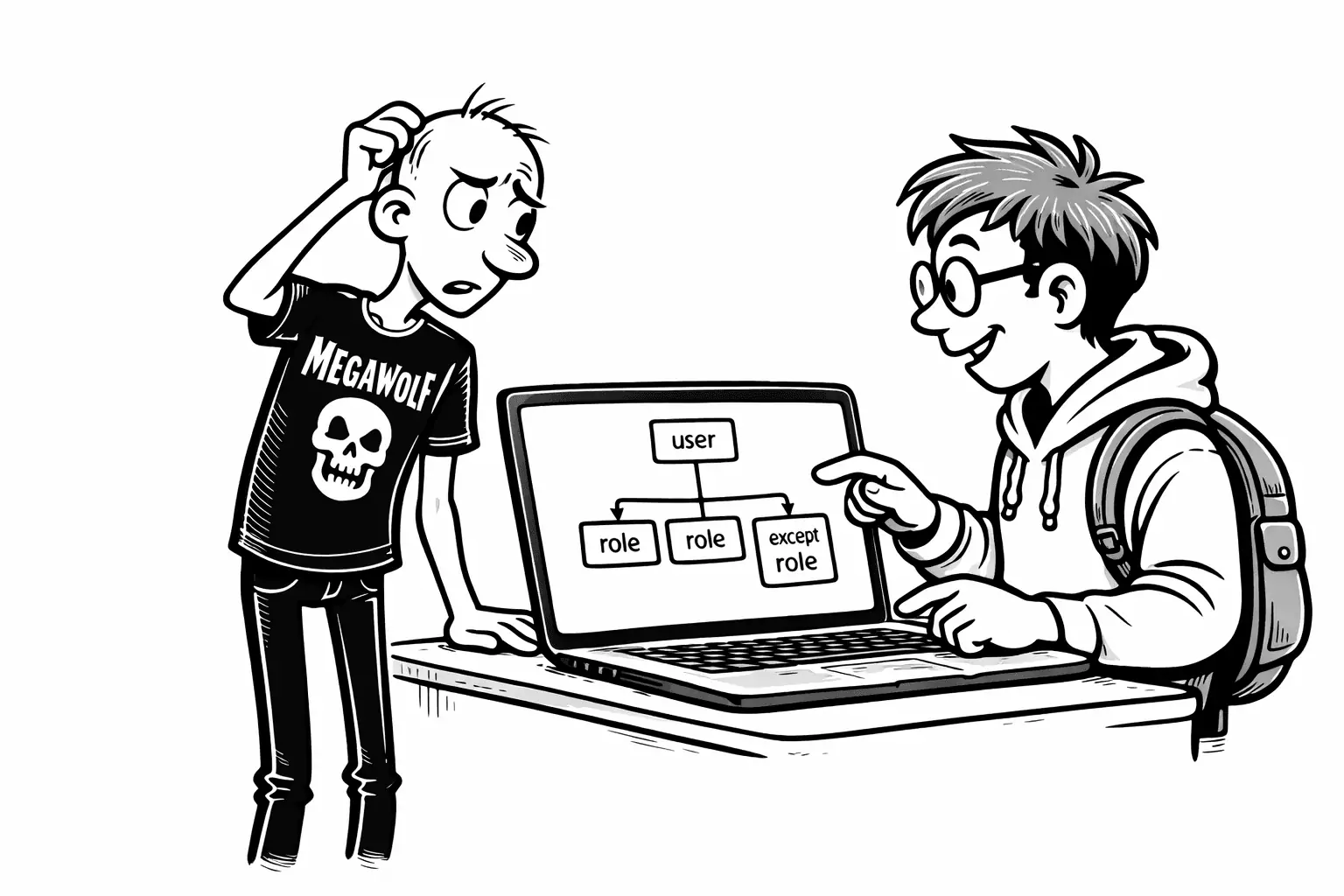
Gary frowned at the screen.
“So the rule is correct,” he said,
“but it shouldn’t treat me like everyone else.”
Sam turned the laptop slightly toward him.
“Then we don’t change the rule,” he said.
“We change who it applies to.”
Gary raised an eyebrow.
Sam continued.
“A user is a person who logs in.
That’s you. That’s your staff.”
“A role,” he said,
“is a label that describes what that person is allowed to do.”
Instead of configuring rules for each individual user,
you connect users to roles.
Then rules can apply:
- to everyone
- to specific roles
- or to everyone except specific roles
“If you grow,” Sam added,
“you don’t want to rewrite rules every time you hire someone.”
Gary nodded slowly.
“So roles are like buckets.”
“Exactly,” Sam said.
“And rules point at the buckets — not the people.”
Adding roles for Gary’s Records
Sam kept it minimal.
Two roles:
- Owner — Runs the store and can override special cases.
- Staff — Helps customers and should follow the standard rules.
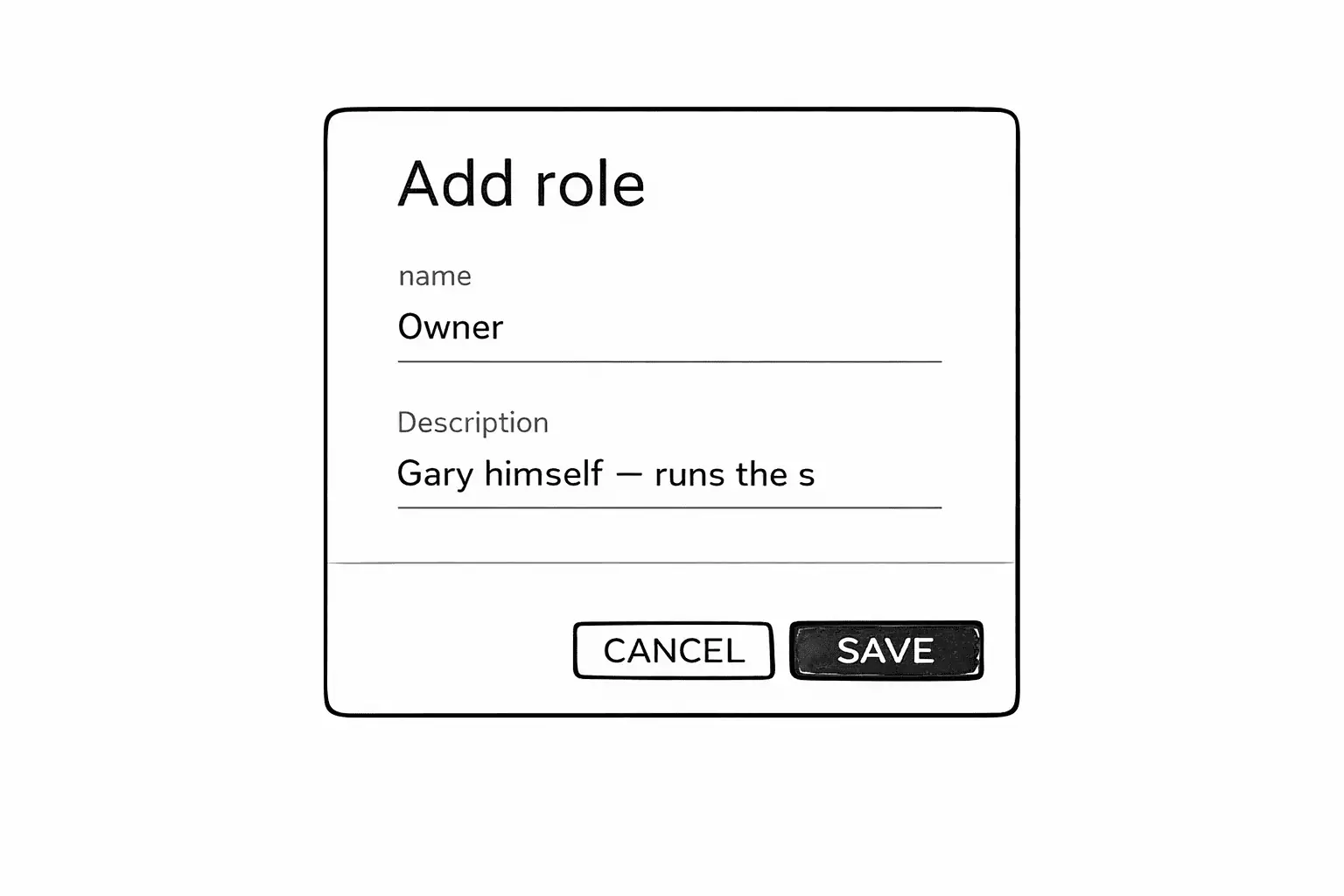
They saved both.
Connecting Gary to the Owner role
A role isn’t a person.
It’s a label you can attach to one or many users.
Gary might be the only owner today,
but he wanted the structure to handle more:
A co-owner.
A trusted manager.
Someone covering while he’s away.
So they opened Gary’s user profile and attached the role.
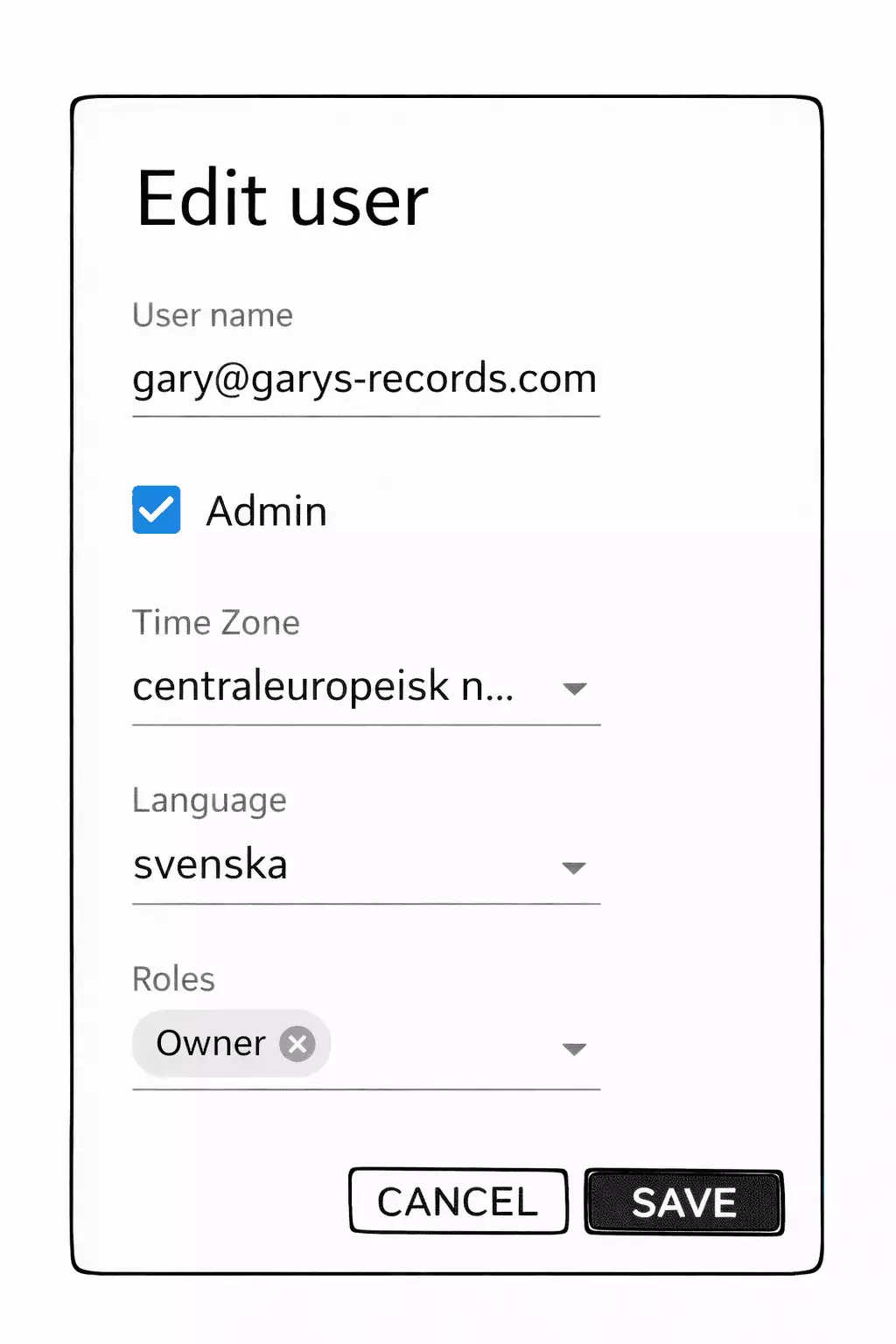
Now Gary could be treated differently — without special-casing his account.
First attempt: limit the rule to Staff
Next, they returned to the logical classification write rule.
Sam’s first instinct was straightforward:
“If this is mostly a staff issue,
we can make the rule apply to Staff.”
So they edited the write rule and selected Staff under Roles.
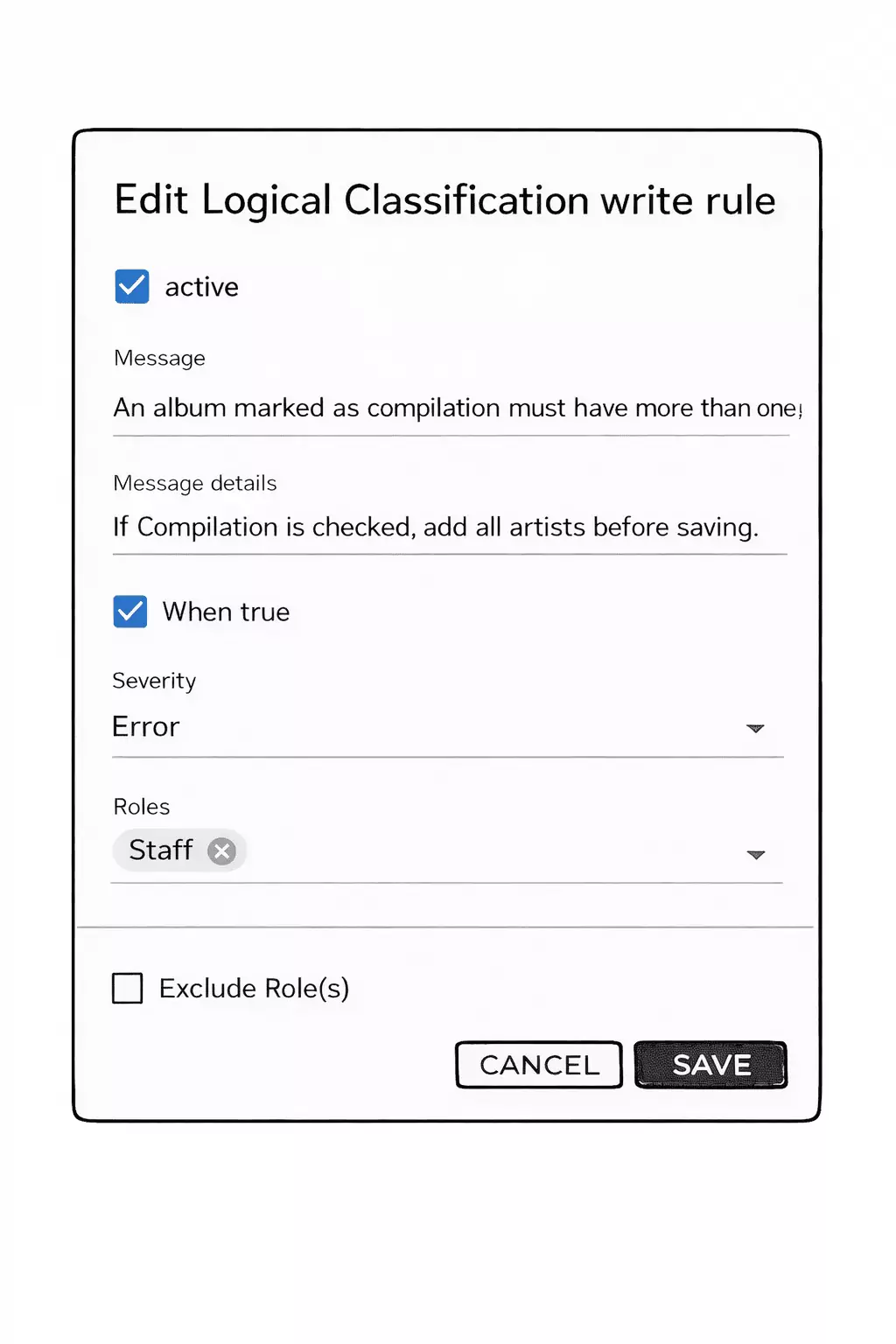
That would let Gary save when needed,
and still block staff from creating broken compilations.
A better long-term structure: exclude Owner
Then Gary paused.
“What happens when I hire someone new,” he said,
“and they’re not Staff yet?”
Sam nodded.
“Or if you add another role later.”
If the rule only targets Staff,
it’s easy to accidentally create gaps:
- New role → rule doesn’t apply
- Temporary role → rule doesn’t apply
- Someone misconfigured → rule doesn’t apply
So they inverted the idea.
Instead of saying:
“This rule applies to Staff.”
They changed it to:
“This rule applies to everyone — except Owner.”
They selected Owner, then checked Exclude Role(s).
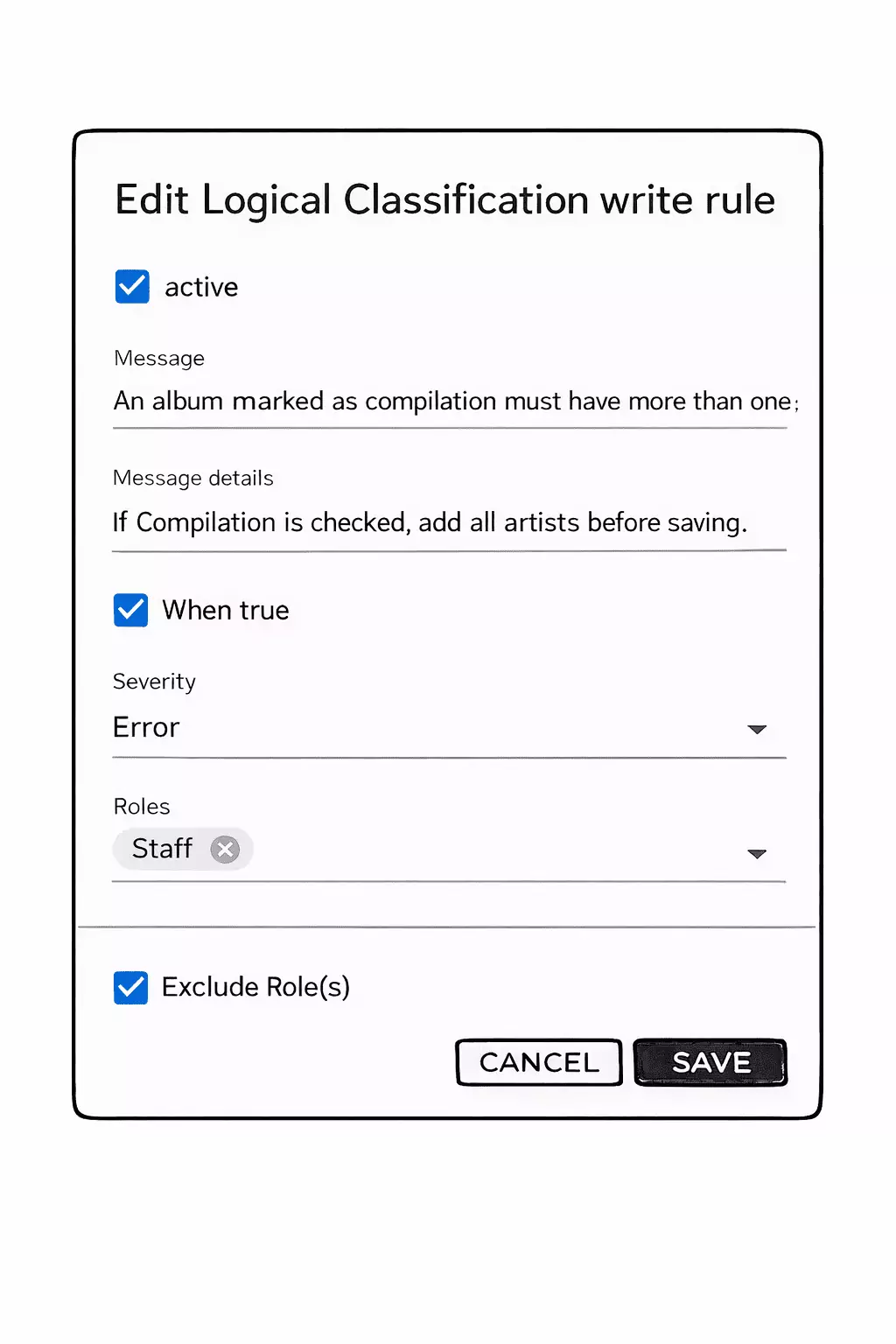
Now the rule would block all non-owners by default.
And Gary — as Owner — could still override in rare cases.
What about before?
Gary squinted at the screen.
“Wait,” he said.
“When we didn’t select any role before…
who did the rule apply to?”
Sam smiled.
“Everyone.”
Gary blinked.
“Everyone?”
“Yes,” Sam said.
“If you don’t specify roles,
the rule applies to all users by default.”
He pointed at the configuration.
“No role selected means no restriction.
The system assumes it should evaluate the rule
for anyone trying to save.”
Gary nodded slowly.
“So at first, the compilation rule blocked me too.”
“Exactly.”
“And only when we introduced roles
did we start shaping who it should apply to.”
Gary leaned back.
“So roles don’t change what is true.”
“No,” Sam said.
“They change who is allowed to act
when something is true.”
The point
The classification was still the same:
Something is wrong when an album is marked compilation
but doesn’t have more than one artist.
What changed was who the system trusted to override it.
Gary looked at the new configuration and nodded.
“Good,” he said.
“I’m the only one who should be allowed to break this.”
Sam smiled slightly.
“And now the system knows that too.”
Continue reading
In the next chapter, we will follow up on Gary a few months later.
By then, he has moved all his data from Excel into the system.
He has learned how it works.
He has even configured the CRM module himself.
The structure is solid.
The data is modeled correctly.
Roles are in place.
But a new problem appears.
Gary discovers that not everyone in the store should see everything.
Albums and artists are fine.
Customer information is different.
Some details are private to the business.
Some are sensitive about the customer.
Some simply do not belong on every screen.
We will join Gary at the moment he realizes that controlling structure is not enough —
he must also control visibility.