Configure GDPR settings
GDPR configurations define how personal data can be exported or removed from the system.
Open GDPR settings
Navigate to:
General Settings → GDPR
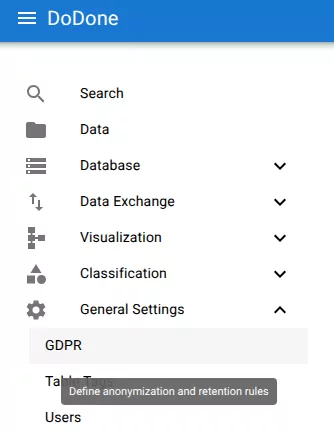
Create a GDPR configuration
Click +.
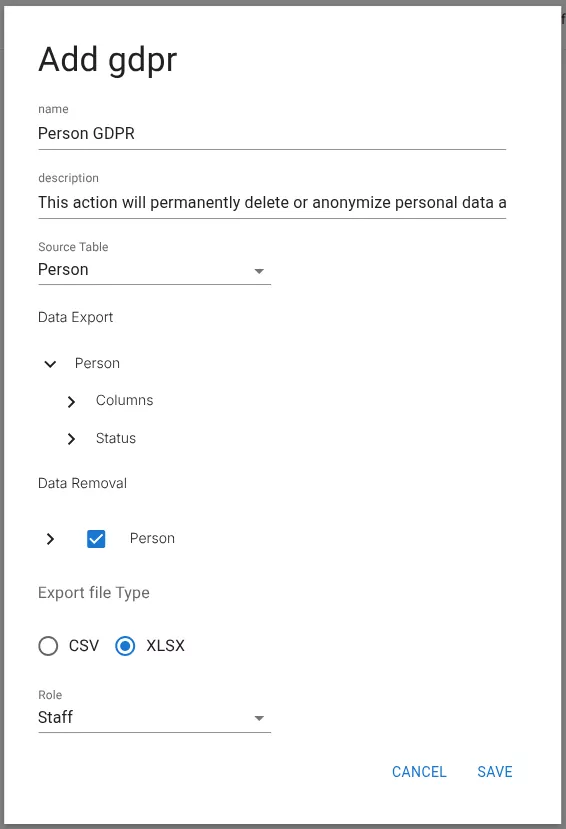
Configure the GDPR settings
Provide:
- Name
- Description
- Source table
- Data export configuration
- Data removal configuration
- Export file type
- Required role
Example:
Configure data export
Expand the Data Export section.
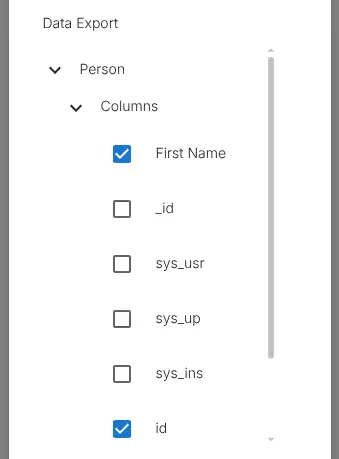
Select:
- tables
- columns
- related data
The export will include all configured data together with audit history and access logs.
Configure data removal
Expand the Data Removal section.
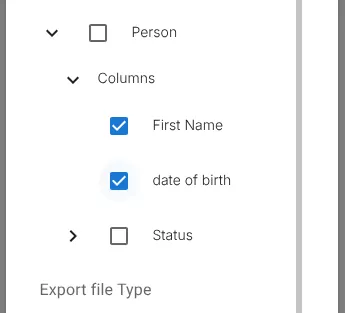
Choose either:
- Column anonymization
- Row deletion
These actions determine what happens when a GDPR deletion request is executed.
Click Save.
Related resources
Understand the concept