Create a table
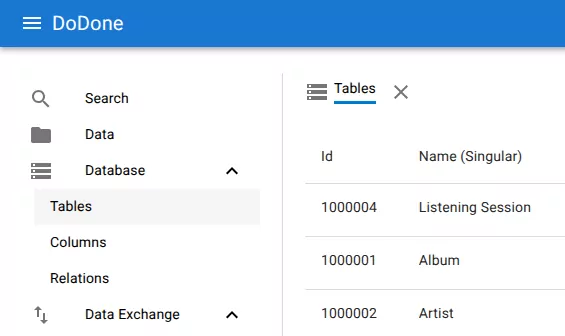
- Open Database → Tables from the navigation menu.
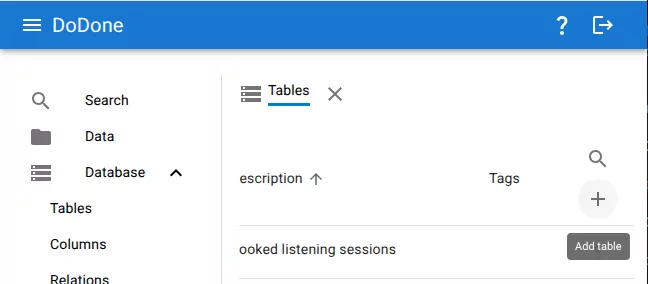
- Click the Add table button in the upper-right corner.
- The Add table dialog opens.
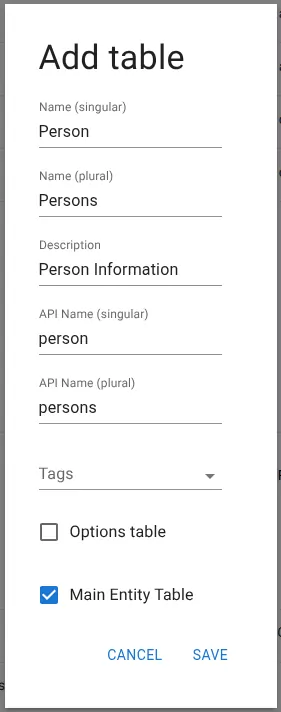
- Enter the table information.
Required fields:
- Name (singular) — name of a single record in the table
- Name (plural) — name used when referring to multiple records
The following fields are generated automatically from the names but can be edited if needed:
- API Name (singular)
- API Name (plural)
Optional fields:
- Description — short explanation of what the table stores
- Tags — labels used for organization
Optional table settings:
- Options table — marks the table as a list of selectable values
-
Main Entity Table — indicates that the table represents a primary domain entity
-
Click Save.
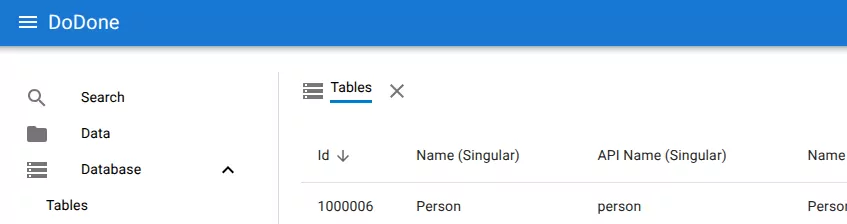
The table is created and appears in the table list.
Related resources
Understand the concept
Reference