Create a mutation event
Mutation events allow the system to detect and react to changes in data.
1. Open the mutation events view
Navigate to:
Data Exchange → Mutation Events

2. Create a new mutation event
Click the + button.
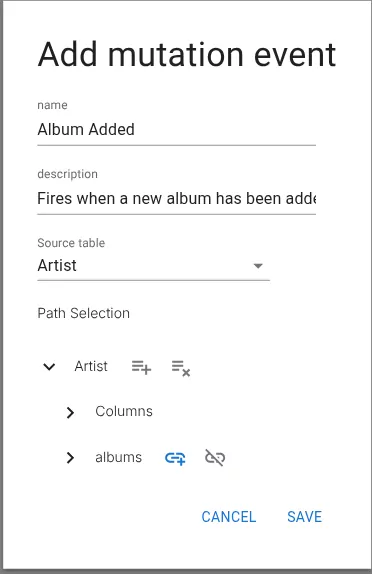
3. Configure the mutation event
Fill in the configuration fields.
- Name – The name of the event.
- Description – Optional description.
- Source table – The table where changes should be detected.
- Path selection – Select which fields or relations should trigger the event.
4. Save the mutation event
Click Save to create the event.
Related resources
Understand the concept