Create a classification event
Classification events trigger when the result of a classification changes.
1. Open the classification events view
Navigate to:
Data Exchange → Classification Events
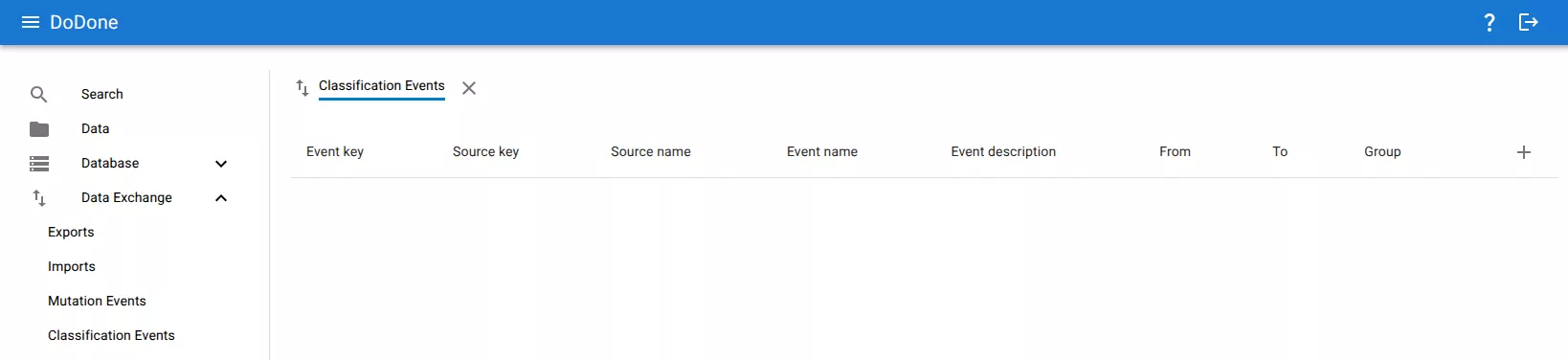
2. Create a new event
Click the + button.
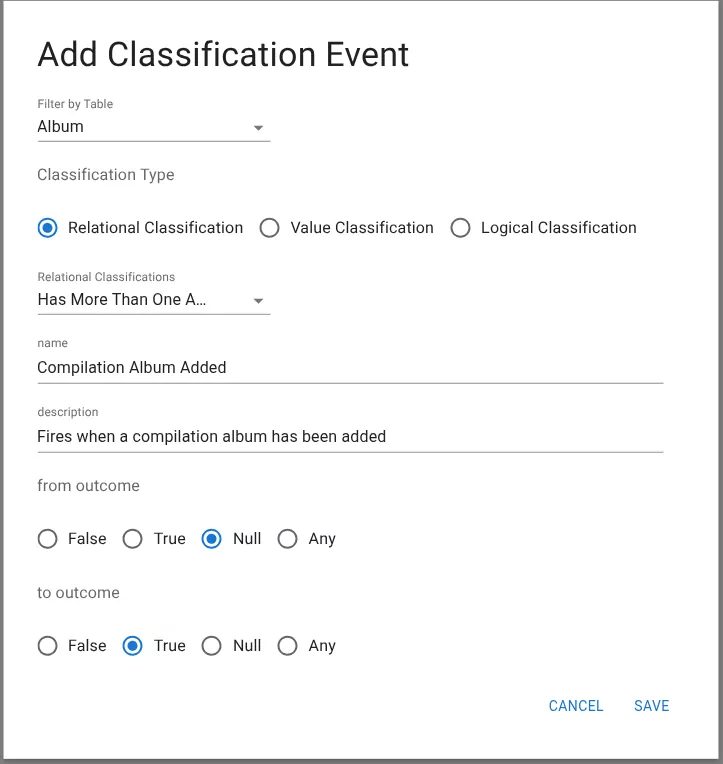
3. Configure the classification event
Select the classification and define when the event should trigger.
Configuration fields include:
- Filter by table – The table where the classification is evaluated.
- Classification type – The type of classification.
- Relational Classification
- Value Classification
- Logical Classification
- Classification – The classification to monitor.
- Name – Name of the event.
- Description – Optional description.
4. Define outcome transition
The event triggers when the classification result changes.
- From outcome – The previous classification result.
- To outcome – The new classification result.
Possible outcomes:
- False
- True
- Null
- Any
Example:
Trigger an event when a classification changes from Null → True.
5. Save the event
Click Save to create the classification event.
Related resources
Understand the concept